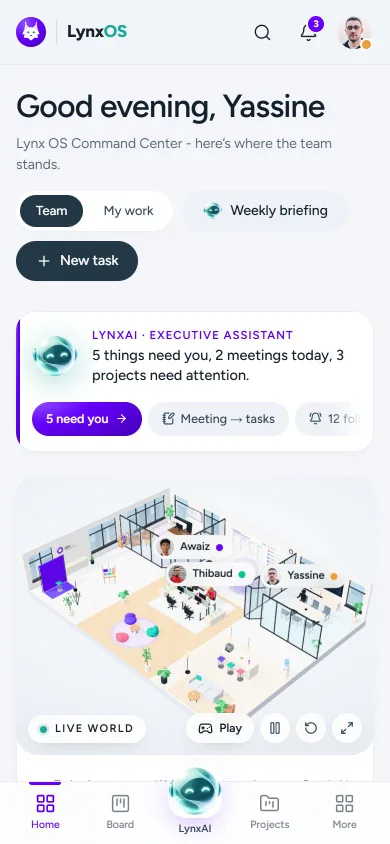
Team operating system · Abu Dhabi

The operating system for a team that ships.

Projects, the board, docs, goals and people in one calm workspace. LynxAI turns meetings into owned tasks and keeps management informed. A live 3D office shows who is working on what. Nothing changes until someone says yes.

  • Meeting → tasks
  • Live 3D office
  • Two-step sign-in
  • Works on phones
ciosup.lynxos.io
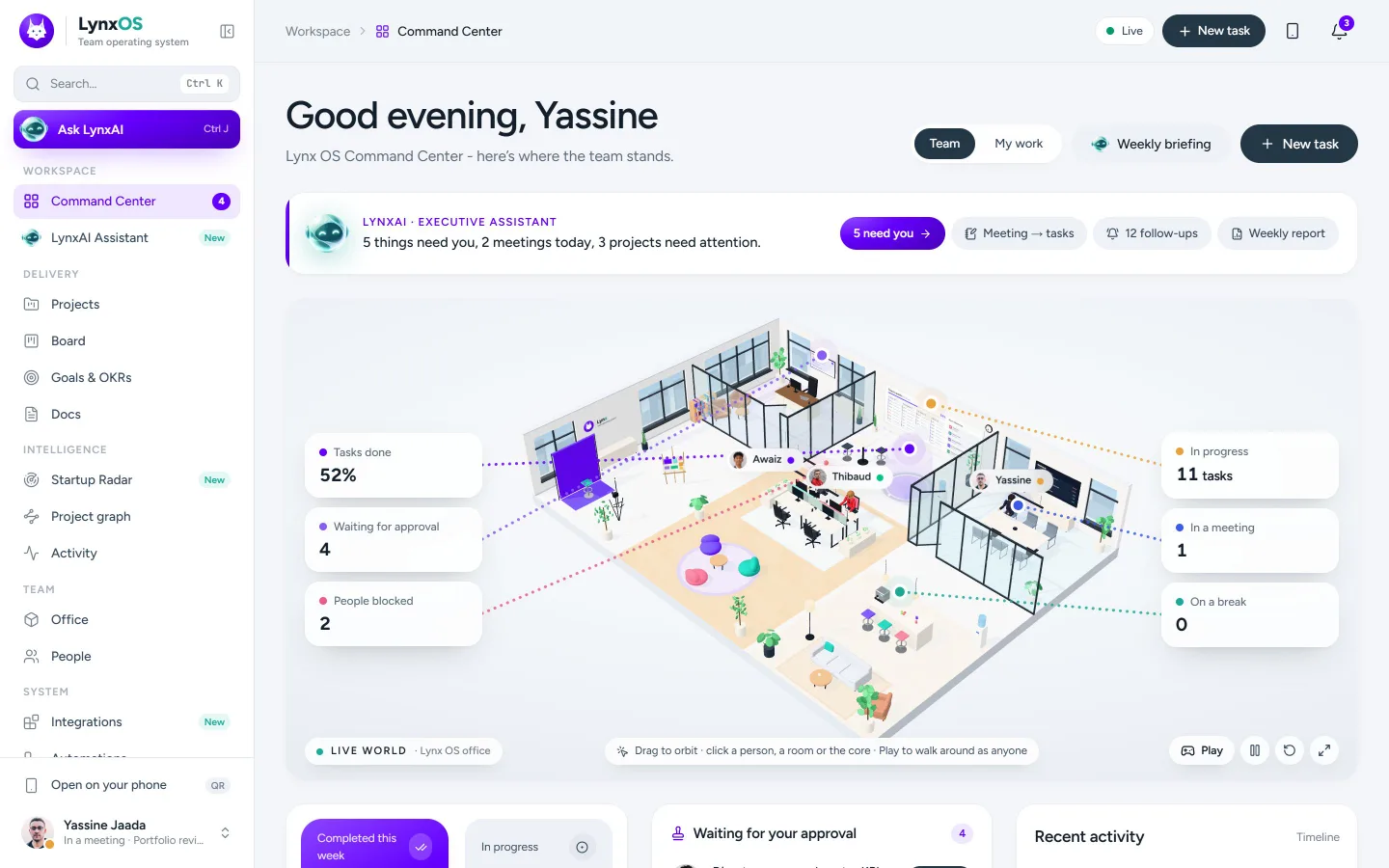
The Lynx OS Command Center: LynxAI's one-line briefing, the live 3D office and the team's numbers

What it is

Twelve tabs in. One operating system out.

Work lives in chats, spreadsheets, decks, inboxes and somebody's memory. Lynx OS gathers projects, decisions, people and the assistant that keeps them moving into one place the whole team trusts.

14areas in one app
Livepresence and board
0LynxAI changes without your OK

A day in Lynx OS

From the first coffee to the weekly report.

Every stop below is a real screen in the workspace. Click through the day.

LynxAI has already read the room.

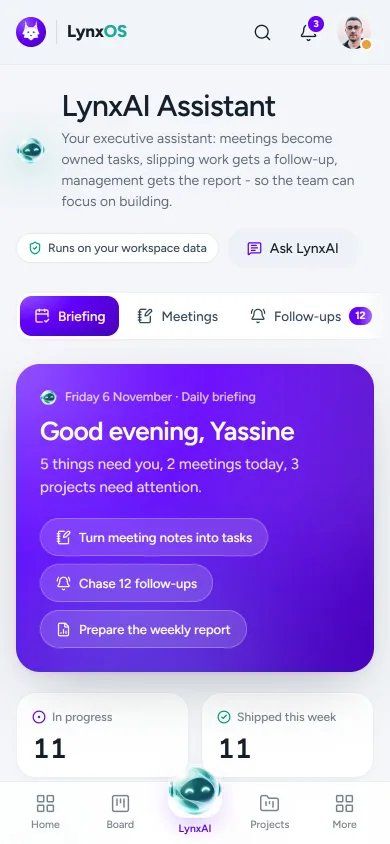
Open Lynx OS and the briefing is waiting: what needs you, today's meetings, the team's pulse and the risks worth a look. One sentence on the Command Center, the full picture in the assistant.

"Good morning, Yassine. 5 things need you, 2 meetings today, 3 projects need attention."
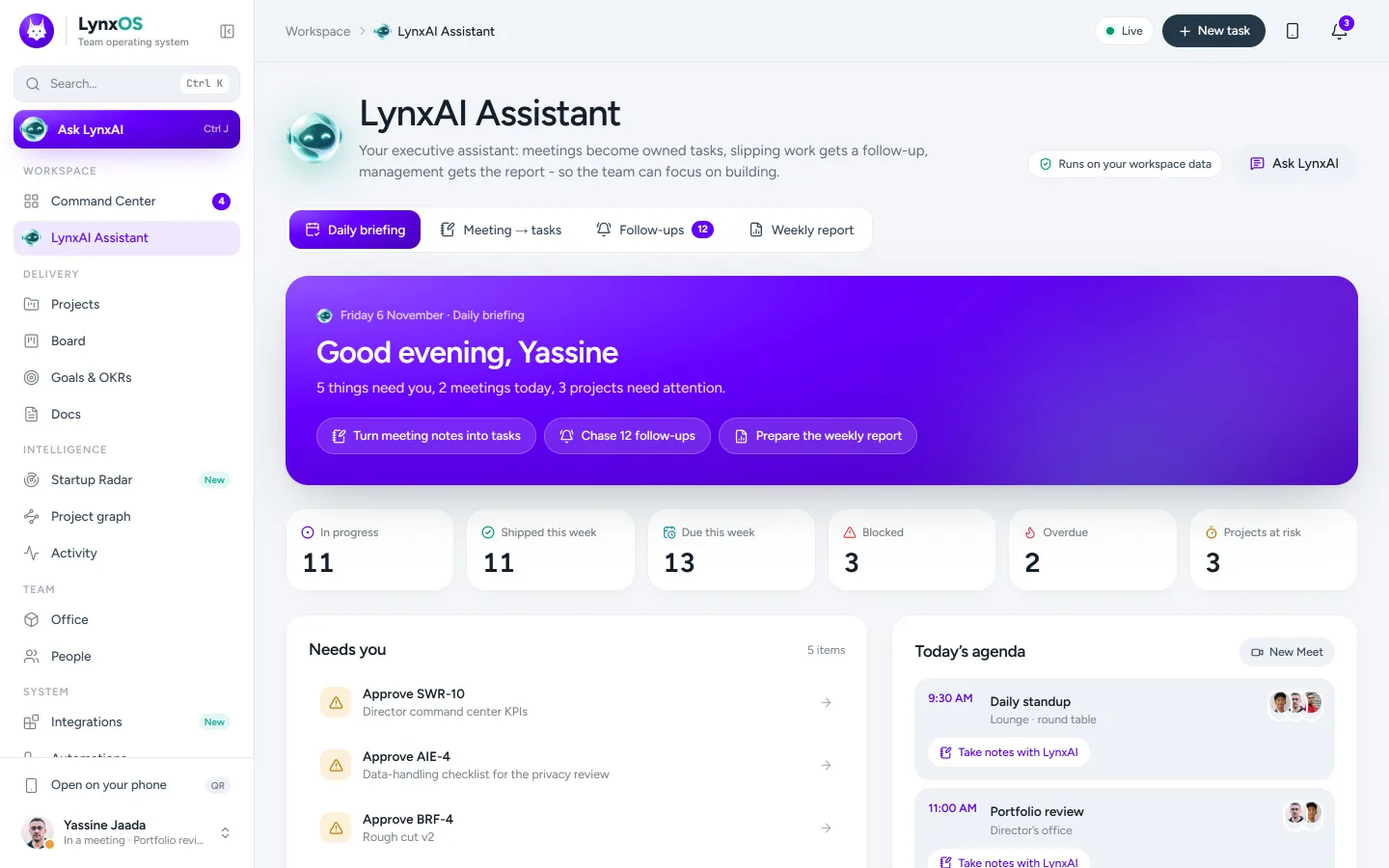
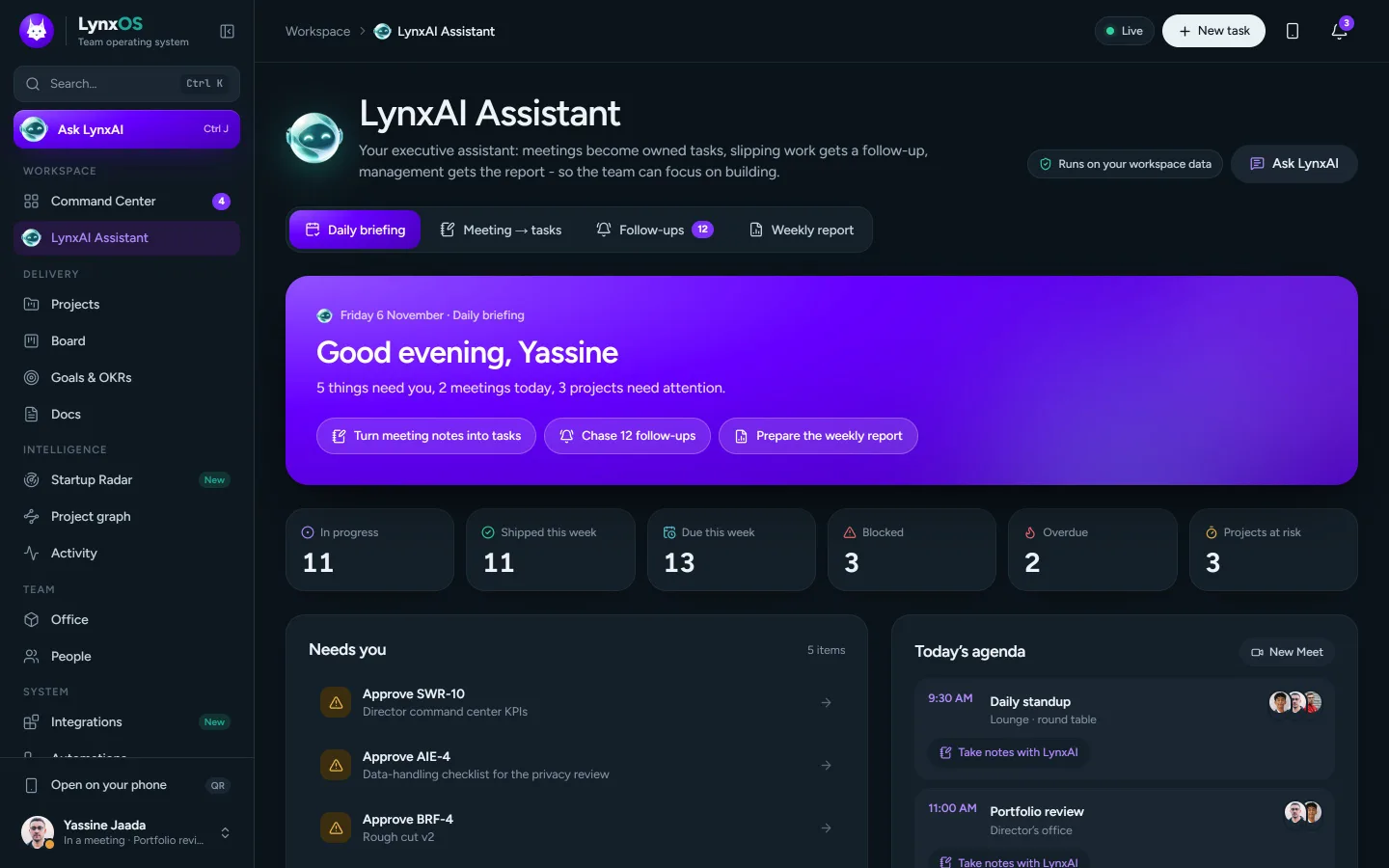
LynxAI's daily briefing with what needs you, today's agenda and the team pulse

The product

Everything the team runs on, in one place.

Real screens from the workspace, on its demo data.

ciosup.lynxos.io

LynxAI · executive assistant

Meeting notes in. Owned tasks out.

LynxAI runs on the workspace's own data. It reads what came in, works out who owns what and when it is due, and shows you every change before anything is created.

  • Daily briefingWhat needs you, today's meetings, team pulse, risks.
  • Meeting → tasksOwners, due dates, urgency, projects, decisions, risks.
  • Follow-upsOverdue, blocked, stale and unowned work, with ready-to-send nudges.
  • Weekly reportShipped, health, OKRs, people and next week, for management.
  • Ask LynxAICtrl/⌘ + J anywhere. Answers from what you can see, proposes changes as cards you approve.
Live demo · runs LynxAI's real extractor in your browser
Edit the notes, then extract. Try "@thibaud: storyboard by Monday".

Nothing you type leaves this page. In the workspace, approved actions land on the board and owners are notified.

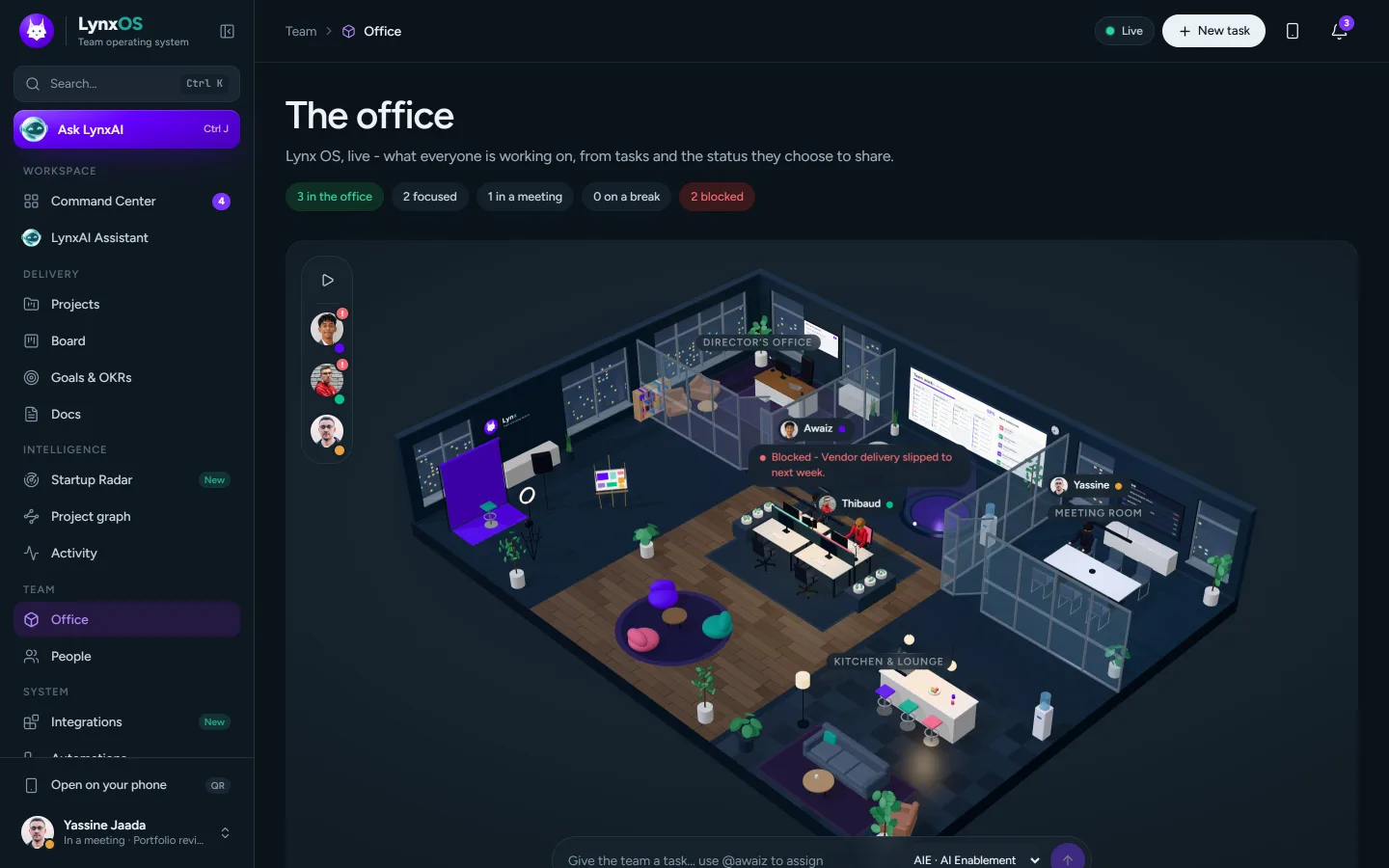
The office

The whole team, at a glance.

A live 3D office built from real presence and real work. The director sees who is focused, in a meeting, blocked or on a break, without asking anyone for a status update.

The live 3D office in dark mode with the director's office, team bench, meeting room and lounge

Live from real work

People sit, type, meet and take breaks from tasks and the status they choose to share. Nobody is simulated.

Enter the office

Walk in as yourself: WASD or a joystick on phones, Shift to run, wave, cheer, sit or jump.

Multiplayer

Everyone who is connected moves in real time through a realtime hub at the edge.

Accessible

A floor list shows the same picture as text, for keyboards and screen readers.

Delivery

Plan it, ship it, prove it.

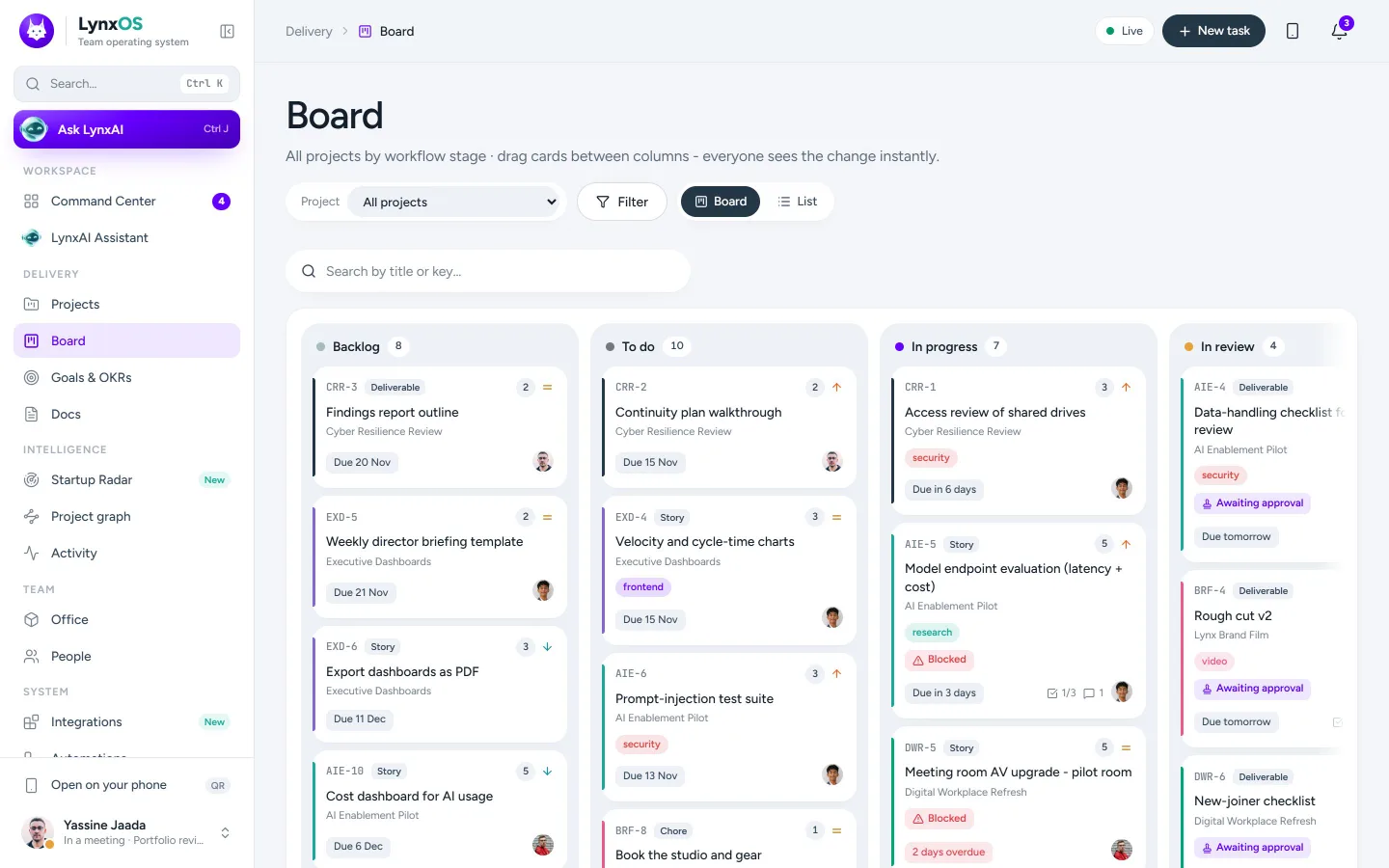
Board

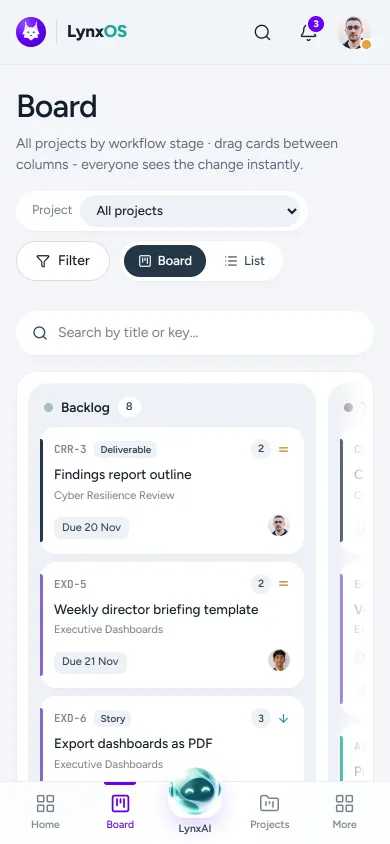
Kanban across every project: custom columns, WIP limits, filters, quick add and keyboard drag and drop.

The board

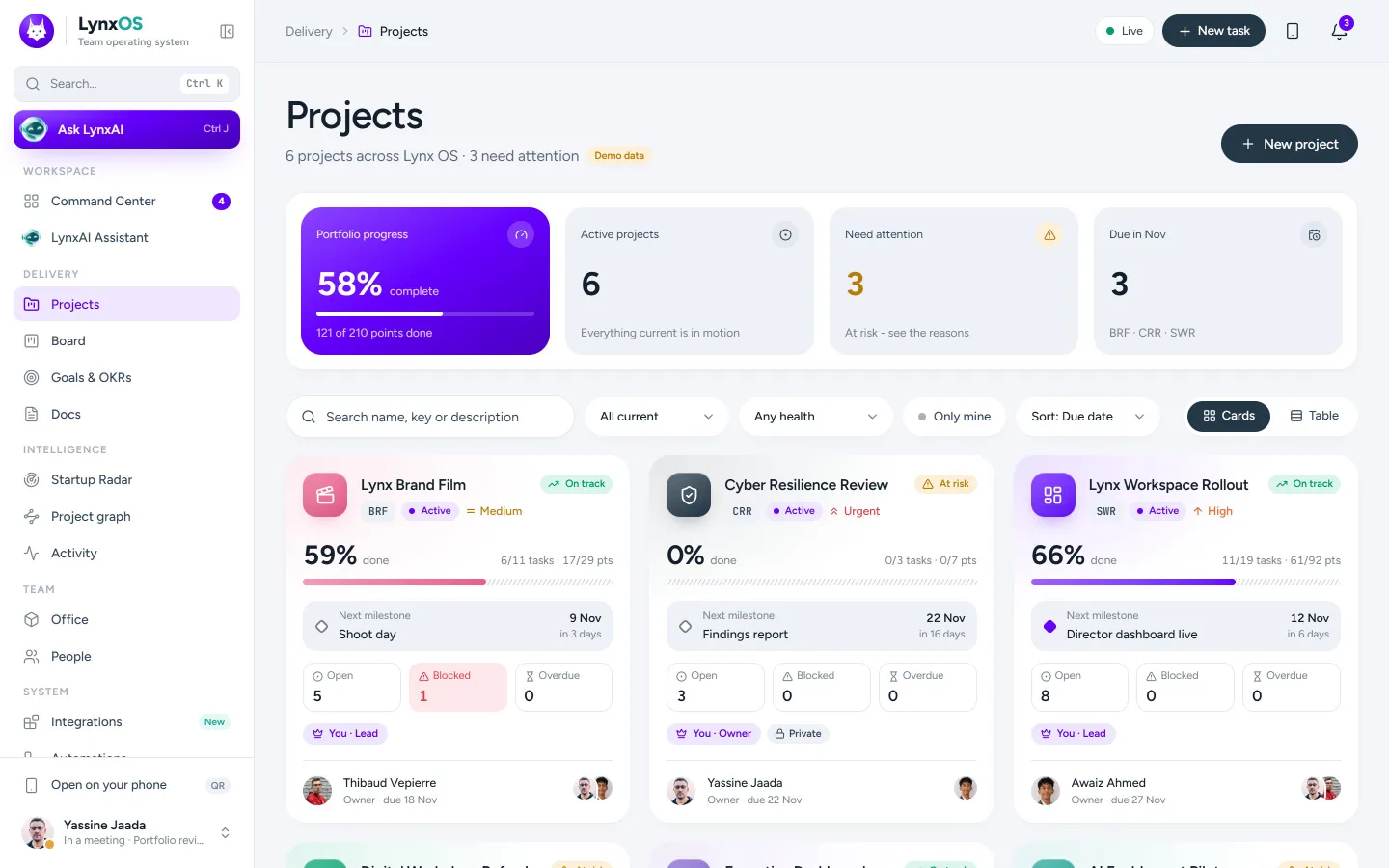
Projects

Portfolio health, roadmap with milestones and epics, roles and workflow per project. Private projects stay invisible to non-members.

The projects portfolio

Automations

No-code rules with dry runs, run logs, retries and idempotency, executed on the server.

WHENa task moves to In review
IFpriority is urgent
THENrequest approval from the project lead

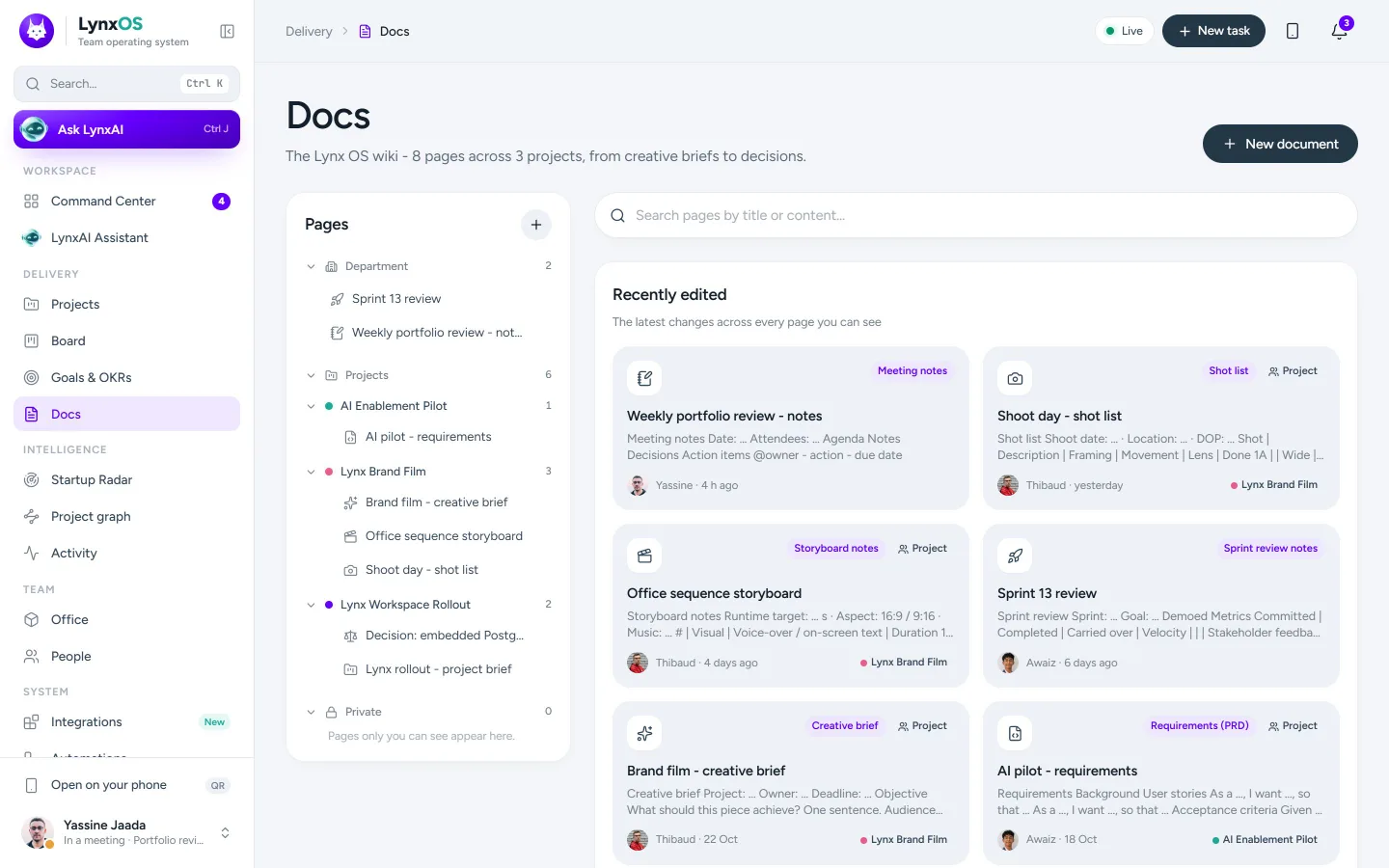
Docs

Rich documents with templates, version history, comments with @mentions and sharing by team, project or private.

Docs

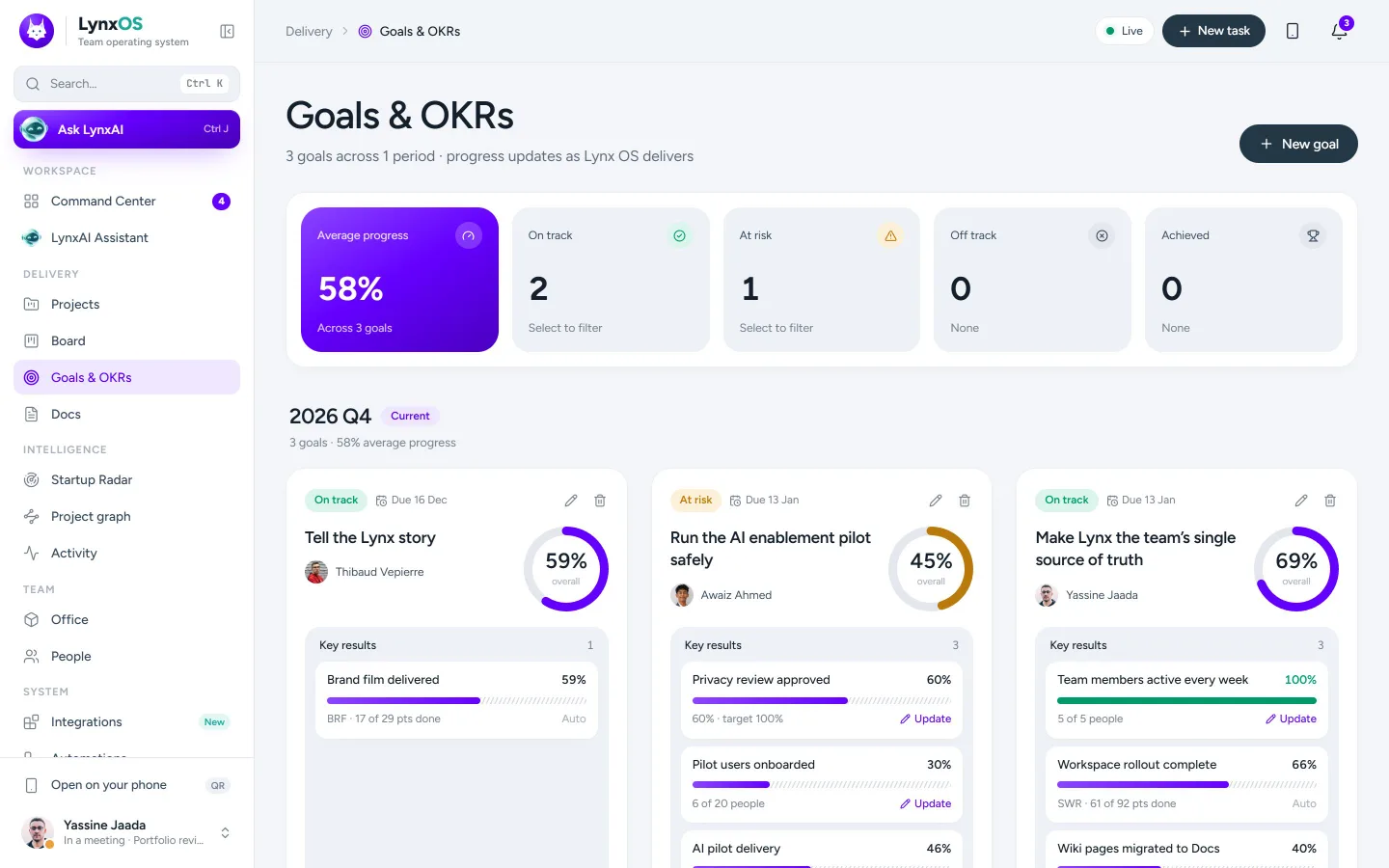
Goals & OKRs

Objectives and key results tied to the work that moves them.

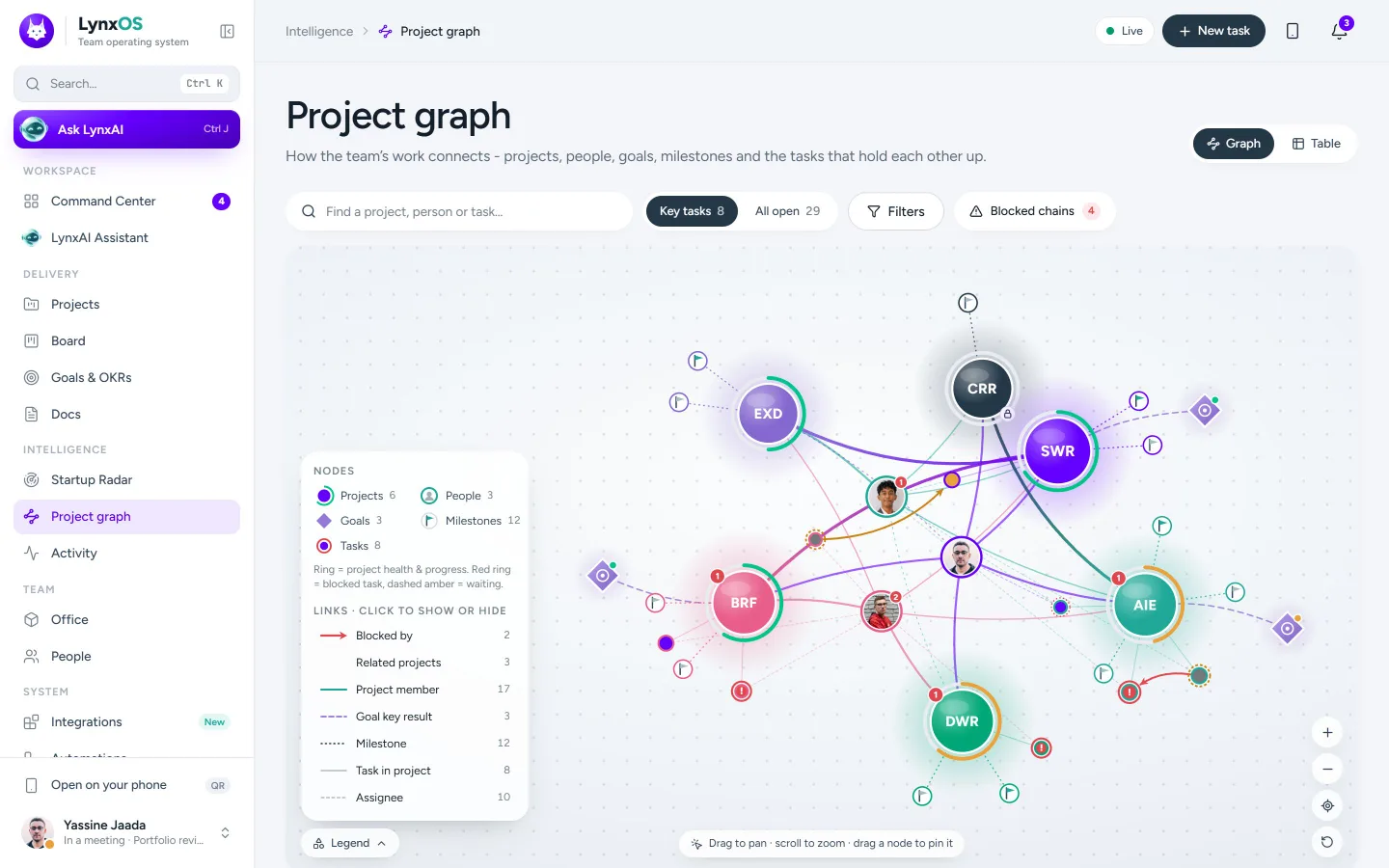
Project graph

How projects, people and dependencies connect, with an accessible table view.

The project relationship graph

Integrations

Google Calendar and Meet, GitHub (pull requests move tasks), Slack, Teams, webhooks, WhatsApp and email. Secrets encrypted at rest.

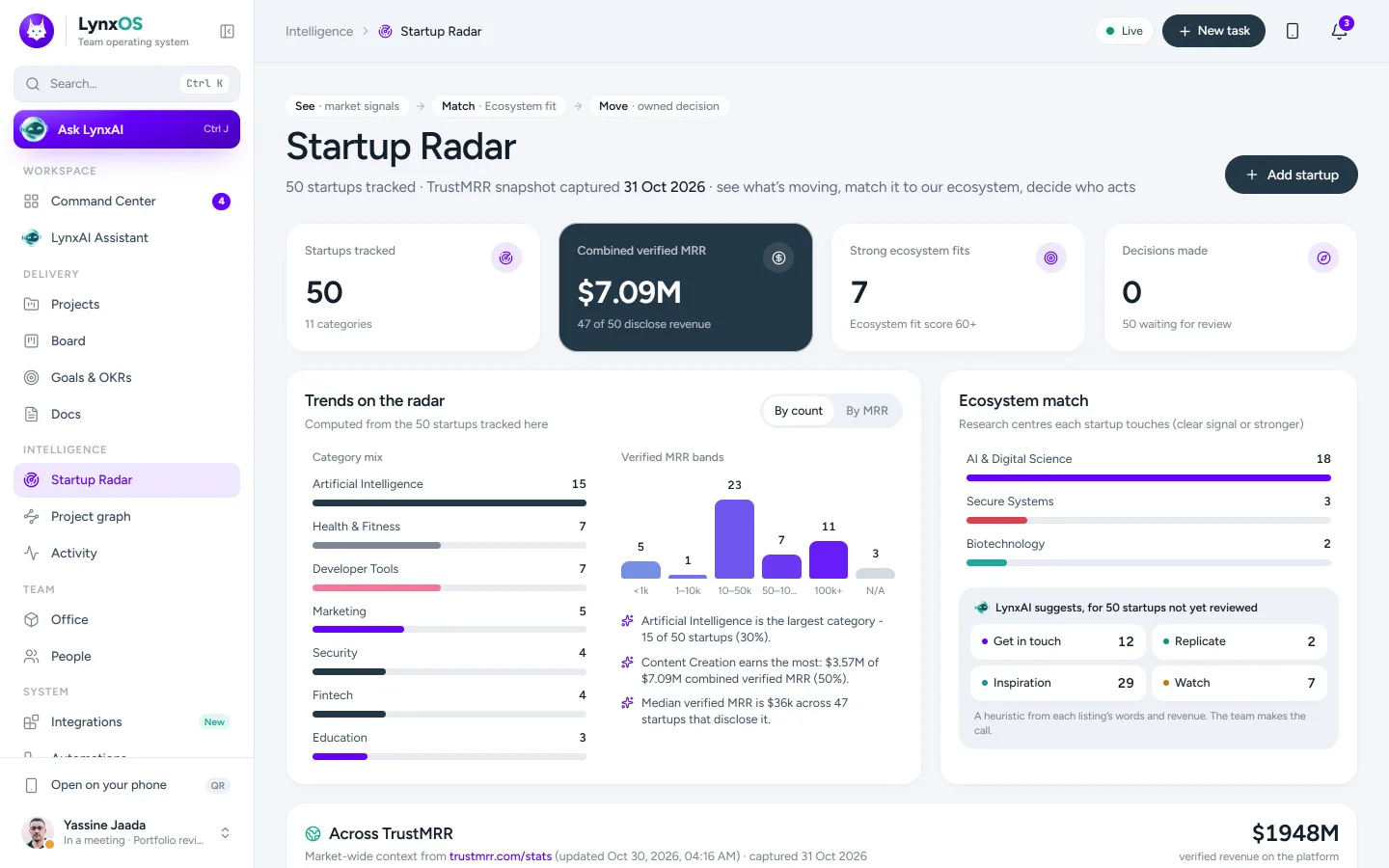
Startup Radar

See → Match → Move.

Market intelligence on a sourced snapshot of verified-revenue startups, matched to the ecosystem's research areas.

  1. SeeTrends by category and revenue band, computed from every startup tracked.
  2. MatchEach startup gets an ecosystem fit and a suggested play: contact, inspire, replicate or watch.
  3. MoveThe team decides, assigns an owner and turns it into a follow-up task on the board.

In your pocket

The workspace, on your phone.

Every page is built for small screens, with a tab bar, bottom sheets and LynxAI one tap away. Add it to the home screen and it opens full screen like an app.

  • Phone hand-off. Signed in on the computer? Scan the QR code and the phone signs in too, with a one-time code that expires in three minutes.
  • Installable. Share → Add to Home Screen on iPhone, Install on Android.
  • No sideways scrolling. Layouts are checked at phone, tablet and wide-screen widths.

Security and control

You stay in charge. It stays private.

Needs your OK · LynxAI

Create 6 tasks from "Weekly leadership sync" and notify 3 owners.

Every change needs your OK

LynxAI proposes; people decide. Proposals execute through the normal API with the approver's own permissions, and approvals gate the work that matters.

Two-step verification

Mandatory for the director and administrators, with recovery codes. Sessions are listed and can be signed out remotely.

Private by default

Private projects are invisible to non-members. The director does not read other people's direct messages. Access can be limited to chosen pages and projects.

AI off until approved

LynxAI runs on the workspace's own data. No workspace data goes to an external AI provider unless one is configured and data sharing is explicitly approved.

Audited and rate-limited

Sign-ins, two-step changes, invitations and role changes are written to an audit log. Sensitive endpoints are rate-limited at the edge.

Secrets encrypted

Two-step secrets and integration tokens are encrypted at rest. Same-origin checks protect every state-changing request.

Under the hood

Fast at the edge. Close to the data.

Static assets and realtime connections are served from the Cloudflare location nearest each person. The app runs next to its database, so every page needs one long hop instead of one per query.

Lynx OS architecture The browser connects to the Cloudflare edge front door at ciosup.lynxos.io. Static assets come from the edge; realtime WebSockets go to the OrgHub Durable Object; pages and API calls go over a service binding to the app Worker, which reaches Supabase PostgreSQL through Hyperdrive. A cron trigger runs automations every five minutes. Browserdesktop · phone · PWA CLOUDFLARE EDGEFront doorciosup.lynxos.iostatic assets · /rt DURABLE OBJECTOrgHubpresence · office · live WORKER · NEAR THE DBLynx OS appNext.js on Workers Hyperdrivepooled TLS PostgresSupabase cron · automations every 5 min
  1. YouBrowserdesktop · phone · installable app
  2. Cloudflare edgeFront doorciosup.lynxos.io · static assets from the nearest location · realtime /rt
  3. Durable ObjectOrgHubpresence · office · live updates
    Worker, near the dataLynx OS appNext.js on Workers · cron every 5 min
  4. Connection poolHyperdrivepooled, encrypted
  5. DatabasePostgreSQLSupabase
  • Next.js 16
  • React 19
  • TypeScript
  • Tailwind CSS 4
  • three.js · R3F
  • Drizzle ORM
  • PostgreSQL
  • Cloudflare Workers
  • Durable Objects
  • Hyperdrive
  • Zod
  • TipTap
  • Vitest
  • Playwright

Who it's for

One workspace. Every role.

Director

The picture without the meeting

Command Center, approvals, the live office, the weekly report and the Startup Radar.

Project manager

Plans that hold

Projects, roadmaps, the board, automations and LynxAI's follow-ups on anything slipping.

Creative producer

Briefs to deliverables

Docs with comments and versions, attachments, approvals and an image editor inside the app.

Team member

"My work", nothing else

Your tasks, your due dates, your mentions. LynxAI keeps the notes so you can keep building.

Questions

Good questions.

What is Lynx OS?

A team operating system: projects, a Kanban board, docs, goals and OKRs, people, automations and integrations in one web app, with LynxAI the executive assistant and a live 3D office. It works in any modern browser and installs on phones.

Where is the workspace?

The CIO Office workspace lives at ciosup.lynxos.io. This site, lynxos.io, explains the product. Old links to lynxos.io pages such as invitations and password resets forward to the workspace automatically.

How do I get access?

By invitation. An administrator invites you with your work email; you choose your own password from the invitation link. Directors and administrators also set up two-step verification.

Does LynxAI send our data to an AI provider?

No. LynxAI's briefing, meeting extraction, follow-ups and reports run on the workspace's own data. An external AI provider is used only if one is configured and data sharing is explicitly approved, and even then it can only propose changes for a person to approve.

Where does our data live?

In a dedicated PostgreSQL database, reached from the app through an encrypted, pooled connection. The app runs on Cloudflare's network next to that database; realtime presence runs at the edge.

Can I use it on my phone?

Yes. Every page is designed for phones and tablets. Use "Open on your phone" in the workspace to sign the phone in with a QR code, then add it to the home screen.

Your team's operating system is ready.

Sign in to the CIO Office workspace, or ask your administrator for an invitation.